
Text messages from Octavia Group
Octavia Group LLC sends account notifications by text message to people who sign up for them in our apps. We do not send marketing texts.
What we send
- Account notifications from our apps, such as reminders and confirmations. Up to 8 messages a month.
How to sign up
Texts are off until you turn them on yourself. In our app, open Preferences → Text messages, enter your mobile number and tick the consent box. The box is never ticked for you. We then send one text to confirm your number; reply YES to finish signing up.
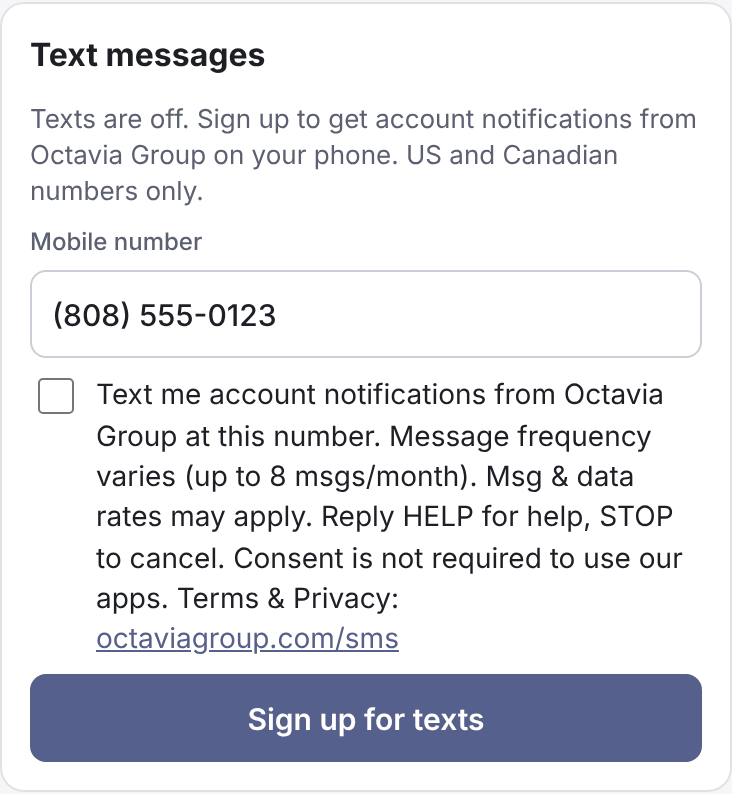
The wording next to the box:
Text me account notifications from Octavia Group at this number. Message frequency varies (up to 8 msgs/month). Msg & data rates may apply. Reply HELP for help, STOP to cancel. Consent is not required to use our apps. Terms & Privacy: octaviagroup.com/sms
Text message terms
- Program: Octavia Group account notifications, only to people who signed up. No marketing.
- Frequency: varies, up to 8 messages a month.
- Cost: message and data rates may apply, according to your mobile plan.
- Help: reply HELP, or email info@octaviagroup.com.
- Stopping: reply STOP to any message to cancel; we send one final text confirming you are unsubscribed, then no more. You can also turn texts off in the app (Preferences → Text messages).
- Not required: consent to texts is not required to use our apps or to buy anything.
- Carriers are not liable for delayed or undelivered messages.
Text message privacy
We use your mobile number only to send you these texts, and we keep a record of when and how you agreed. We do not sell, rent or share mobile numbers or text sign-up (opt-in) information with third parties or affiliates for marketing or promotional purposes. We share them only with the companies that deliver the messages for us (our SMS provider and the mobile carriers), solely to send them.
Full terms and privacy policy.